Every Dynamics architect learns the same instinct early: normalize. Give every piece of data its own column, every repeating group its own table, every list its own option set. Most of the time that instinct is right.
On a recent engagement with a national engineering firm, it was the cause of the problem.
The problem
Engineering firms live and die by which projects they pursue. Their Go/No-Go process, the structured review that decides whether to bid, is one of the most important decisions they make.
This one had been built directly into the Opportunity entity. Every question, score, weighting, and decision point had its own field, option set, or related table. By the time I arrived, the process touched about a dozen tables and option sets.
The results were predictable:
- Opportunity forms loaded slowly because they carried the weight of the entire review
- Reports took longer than they should
- Changing a single question meant a schema change, a solution update, and a deployment
- People avoided running Go/No-Go reviews because the experience was painful
When users avoid a critical business process because the software is slow, the software is the problem.
The question I asked
Instead of asking "how do I optimize these tables," I asked: how is this data actually used?
The answer was simple. A Go/No-Go review is read and written as a single unit. Someone opens it, works through it, scores it, and saves it. Day to day, nobody needed to query "every review where question 7 was answered No." The review was a document, not a set of records.
That changed everything.
The solution
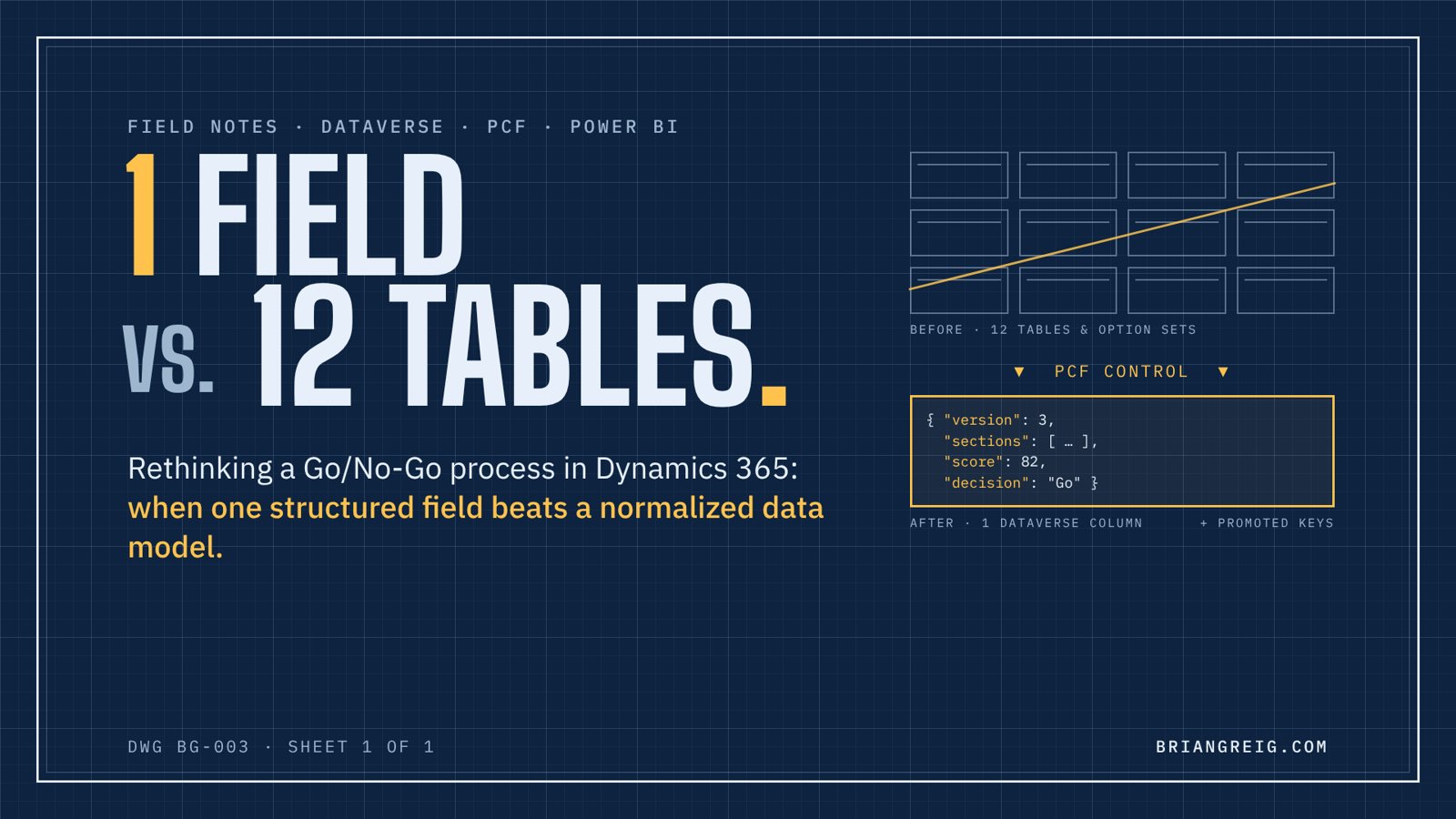
I moved Go/No-Go out of Opportunity into its own solution and built a custom PCF control as the interface. Instead of spreading answers across columns and related tables, the control stores the entire review as structured JSON in a single Dataverse text column.
The control reads the JSON, renders the review, handles the scoring logic, and writes it back as one unit, which is exactly how people use it.
But I didn't put everything in the JSON. The few values the business needed to see in views, filter on, and act on, such as the final decision, total score, and review date, were promoted into real Dataverse columns. Users still get standard views, sorting, and filtering on the values that matter, while the full detail of the review stays in the structured field.
Keeping it reportable
The obvious objection to storing data in a single field is reporting. If the detail lives inside JSON, how do you analyze it?
For deeper analysis, I used Dataverse dataflows to parse the JSON and shape it into a proper reporting structure for Power BI. The dataflow breaks each review into its sections, questions, and scores, so analysts get a clean, queryable model without the transactional system carrying that weight.
That's the real advantage of this approach: the operational model is optimized for how people work, and the reporting model is optimized for how people analyze. Each one does its own job well, instead of one data model trying to do both badly.
What it replaced, and what we gained
It replaced about a dozen tables and option sets. In return:
- Faster forms and reports, because Opportunity no longer carried the weight of the review
- More Go/No-Go reviews completed, because the experience was finally fast and usable
- Changing questions without schema changes, since the structure lives in the data, not the database
- One focused component instead of logic scattered across forms, business rules, and relationships
- Richer reporting in Power BI than the old structure ever delivered
With the process cleaned up, it also became practical to add AI-assisted analysis that searches records and client history to help assess a bid's viability. AI works far better on a clean, well-shaped process than on a tangle of related tables.
"Isn't storing JSON in a text field a shortcut?"
Sometimes it is. I've seen it misused, and I'd push back on it in plenty of designs. The difference is knowing when it fits.
Use a single structured field when:
- The data is read and written as a unit by one component
- The shape changes often, like questions, sections, or scoring rules
- You don't need to filter, sort, or roll up on most of the individual pieces inside it
Use real columns and tables when:
- You need to filter, sort, or build views on a value
- Field-level security or auditing matters for that value
- Other processes, flows, or integrations need to read it directly
- You need to roll it up across many records
The pattern that works best is the hybrid: keep the full detail in the structured field, promote the handful of values you operate on into real columns, and use dataflows to build a proper reporting model for deeper analysis. You get flexibility, usability, and reportability.
And treat the JSON like a schema. Document it, version it, and validate it in the control. A structured field without discipline becomes a junk drawer.
The real lesson
Good architecture isn't about following the textbook pattern. It's about understanding how data is actually used, and designing separately for how people work and how people analyze.
Normalization is a tool, not a rule. Sometimes the best data model has fewer tables, not more.
Originally published on LinkedIn.